Extract business leads from Google Maps
Capture business names, phones, websites, ratings, addresses, and source URLs from Google Maps, Justdial, and company websites, then manage and export them from one focused dashboard.
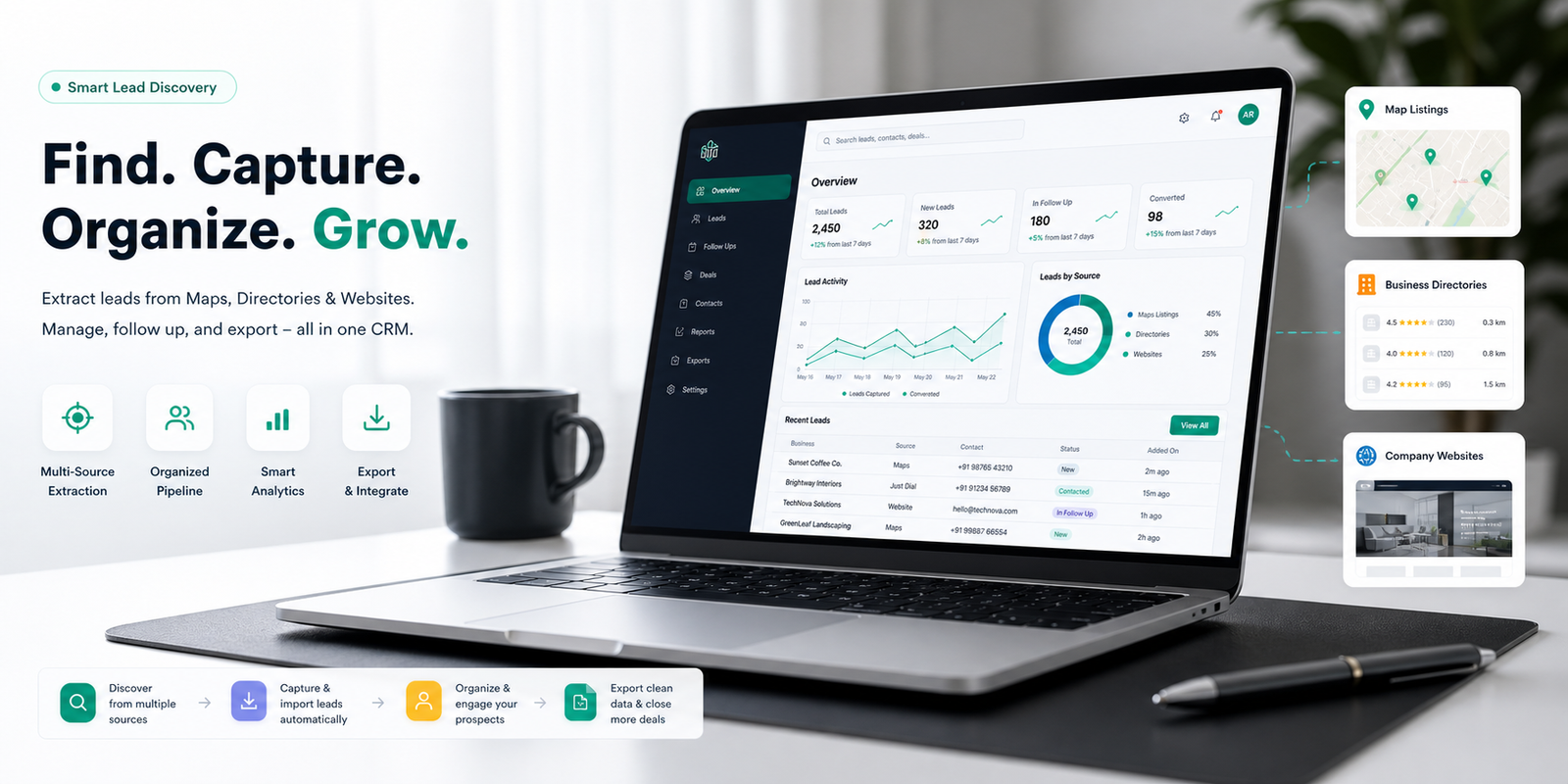
Everything needed for local lead collection
Built for agencies and sales teams that repeatedly collect business data from location-based searches.
Multi-source extraction
Capture lead data from Google Maps, Justdial, and business websites with one extension workflow.
Duplicate prevention
Leads are normalized and checked per user, so repeated searches do not pollute your list.
Export ready
Download clean CSV or Excel files based on your subscription plan, ready for CRM upload.
Built for repeat use
Run location-based searches across multiple niches, cities, and client campaigns without losing track of what's already been collected.
Capture the details your outreach team needs
LeadFinder CRM saves structured lead fields into your own account so exports are ready for CRM upload or sales follow-up.
From source page to export in four steps
Open
Open Google Maps, Justdial, or a business website in your browser.
Extract
Use the Chrome extension to read visible business details automatically.
Save
Store leads securely in your LeadFinder CRM account, deduplicated.
Export
Download leads for outreach, CRM upload, or reporting instantly.
Agencies, freelancers, and B2B sales teams
Useful for local SEO, web design prospecting, sales outreach, and lead generation campaigns.
Practical workflows for growth teams
SEO outreach
Find local businesses that may need local SEO, reviews, citations, or website improvements.
Website sales
Build prospect lists for website redesign, maintenance, hosting, or landing page services.
B2B prospecting
Collect niche-specific leads by city for cold calling, WhatsApp outreach, or email campaigns.
Designed for controlled lead management
Every user sees only their own leads. Exports and limits follow the selected plan.
User data isolation
Leads are tied to the logged-in user account.
Plan validation
Free, Pro, and Agency access rules are enforced by the backend.
Secure login
Chrome extension access uses authenticated API tokens.
Start free, upgrade when exports matter
Best for individual users.
per month - Best for freelancers and small businesses.
per month - Best for agencies and sales teams.
Common questions
Do users need the Chrome extension?
Yes. The extension extracts visible leads from Google Maps, Justdial, and supported business websites, then sends saved leads to the dashboard.
Can users export leads?
Free users can export CSV within their monthly lead allowance. Pro users get 2,000 exported leads per month. Agency users get unlimited exports.
Does LeadFinder CRM remove duplicate leads?
Yes. Leads are normalized and checked per user account before saving.
How does payment work?
Current flow uses manual monthly Razorpay payments. Paid access is activated for 30 days after successful payment.
Create your first local lead list today
Register, install the extension, open Google Maps, Justdial, or a business website, and start saving leads into your dashboard.